Crazy Roll 3D










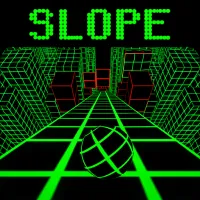
A perfect upgraded version of the ball-rolling genre with 3D design is Crazy Roll 3D! Developed based on endless inspiration from Slope, this game not only takes you hurtling down floating neon ramps but also adds a host of groundbreaking features: a power-up system, a ball upgrade shop, winding ramp terrain, and especially the incredibly exciting 2-Player Mode. Keep your eyes and reflexes sharp to experience this super popular unblocked version of Crazy Roll 3D, just released on our website.
Overview of Crazy Roll 3D
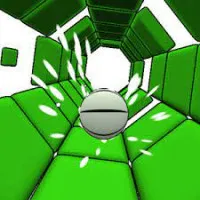
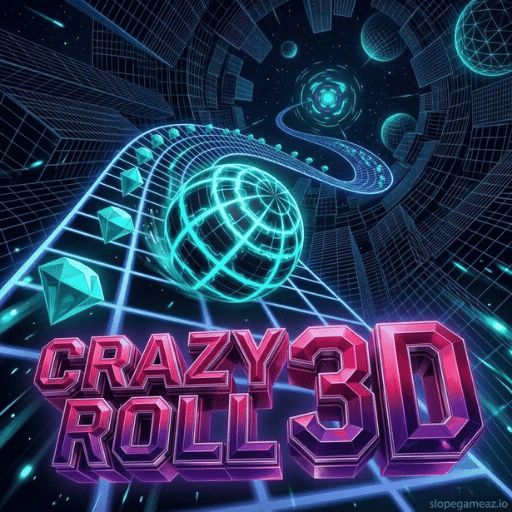
Crazy Roll 3D is a 3D endless runner game with a ball-rolling mechanism, where the game incorporates many challenging obstacles. In the game, players control a speeding ball hurtling down a series of sloping, suspended tracks that can twist and turn in mid-air. The ultimate goal is to avoid all red obstacles, collect scattered crystals, activate support skills at the right time, and maintain the longest possible rolling distance.
Breakthrough Features That Make Crazy Roll 3D So Appealing
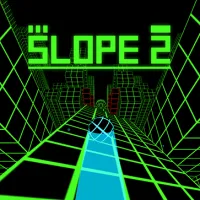
Compared to traditional ball-rolling games like Slope 2 and Slide Down, Crazy Roll 3D offers superior gameplay depth thanks to valuable improvements:
- 2-Player Mode (Split-Screen): Allows two players to challenge each other to survival on the same computer screen.
- Race Mode: Allows you to choose terrain to challenge yourself by accumulating diamonds to unlock Forest and Neon City terrains when you have 500 and 1000 diamonds, respectively.
- Power-ups System: Pick up and actively activate power-ups along the way using shortcuts:
- Shield: Makes the ball harmless before one collision with an obstacle.
- Magnet: Automatically attracts all surrounding diamonds to the ball.
- 2x Crystals: Doubles the number of crystals collected during the effect duration.
- Upgrade Shop & Unique Ball Collection: Use collected diamonds to increase the cooldown of power-ups and unlock dozens of new ball models with varying sizes, colors, and speed stats.
- Wavy Terrain & Dynamic Obstacles: Adds wobbling platforms and horizontally moving barriers, requiring extremely precise acceleration judgment similar to Sphere Rush.
How to Play and Control the Rolling Ball in Crazy Roll 3D
The button system in Crazy Roll 3D is designed for single players, groups of 2, and mobile devices. Players can freely adjust sensitivity in the Settings menu:
PC Controls (Single Player):
- Swipe Left/Right: Press the A/D keys or the left/right arrow keys.
- Activate power-up items: Use the Q (Shield), W (Magnet), or E (Duplicate Diamond) keys.
Mobile/Tablet Controls: Swipe left/right or customize to tap mode in Settings.
Guide to Playing Crazy Roll 3D for Beginners
To control the ball rolling over thousands of meters of steep slopes without falling into the abyss, new players need to master the following operating rules:
- The main goal in Crazy Roll 3D is to control the ball moving on 3D inclined platforms, avoiding all red barriers and moving traps, collecting as many diamonds as possible, and surviving the longest distance to buy upgrade items and unlock new terrains when you have enough diamonds.
Survival Rules & Acceleration
- Natural acceleration of the ball: The ball starts moving slowly and will continuously accelerate as you roll over steep slopes and jump on platforms. Higher speeds require you to look further ahead to judge the rolling path 1-2 seconds in advance.
- Make good use of power-ups: Don't waste keystrokes! Save your Shield (Key 1) for higher levels—where the density of moving obstacles makes dodging by hand nearly impossible.
- Adjust sensitivity in the Settings Menu: If you feel the ball is too fast or too slow, open Settings and adjust the Sensitivity slider to suit your mouse/keyboard sensitivity.
Pro-Roller Techniques to Set Score Records in Crazy Roll 3D
- Combo "Magnet + 2x Diamond": When rolling into an area with a dense cluster of diamonds, press keys 2 and 3 simultaneously. This combo will automatically collect all the diamonds and double your account balance in just a few seconds.
- Ramp Jump Landing Technique: When the ball bounces over the bouncing platforms in the air, adjust its direction to be centered on the platform below before hitting the ground to avoid the ball bouncing off the edge of the cliff.
- Focus on the undulating platforms in 2-player mode: In 2-player challenge mode, undulating road sections will appear more frequently to increase the drama. Keep the ball in the center of the lane to avoid being thrown around when the platform tilts suddenly.
Get ready to conquer the sounds and challenging obstacles with the ball in Crazy Roll 3D!
Vibrant 3D graphics, explosive electronic music, a power-up system, and an incredibly stimulating 2-player mode—Crazy Roll 3D is the ultimate reflex challenge you and your friends can't miss. The matrix ramp is open, and the speed ball is ready. How many meters do you think you can roll the ball and conquer the top of the leaderboard?