G-Switch







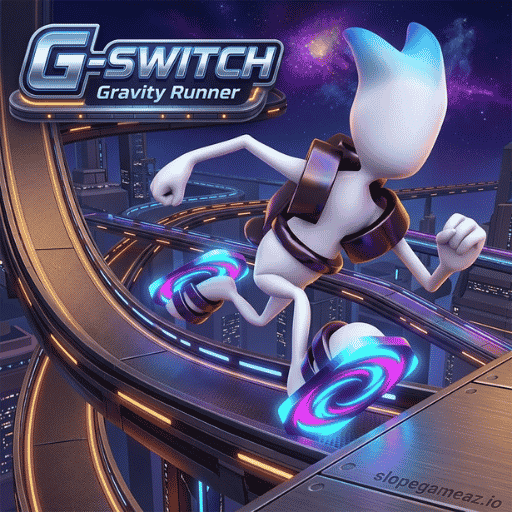
G-Switch is a completely new survival race game where all the laws of physics bend, setting it apart from any other game. Similar to lane-switching games like Slope or Jelly Runner, this classic arcade game puts you in control of a high-speed robot with the ability to reverse gravity with a single keystroke. Run across ceilings, dash across arena floors, and dodge countless deadly bullet traps—a single moment of delayed keystroke and you'll plummet straight into the air. Play and conquer G-Switch online for free, with support for fun group play for up to 6 people!
Overview of G-Switch
G-Switch (G Switch 1) is an endless obstacle course game with gravity-flipping mechanics developed by Vasco Freitas on the HTML5 platform. In the game, the robot character automatically accelerates forward. Your mission is to press the right keys at the right time to reverse gravity—sending your character from the floor to the ceiling (or vice versa) to overcome chasms, laser barriers, and obstacles.
Core Features That Make G-Switch Legendary
It's no coincidence that G-Switch consistently ranks among the most beloved school-unblocked games of all time:
- Unique Gravity Switch Mechanism: No Jump button! Your only action is reversing the Earth's gravitational pull. This innovative control concept creates heart-stopping plot twists.
- Ultimate Multiplayer Mode (Up to 6 Players): This is the most appealing feature! G-Switch allows up to six players to play simultaneously on ONE computer keyboard. Each player is given a unique key to compete for survival.
- Intelligent Checkpoints System: In Story Mode, the game strategically places checkpoints to prevent discouragement if you die on difficult sections of the track.
- Endless Mode: Test your reflexes, accelerate your progress, and set unprecedented distance and score records.
Summary Table of Game Modes & Challenge Scales in G-Switch
Below are details of the exciting game modes in G-Switch to help you choose a challenge suitable for yourself or your group of friends:
| Game Mode | Player Capacity | Difficulty Style | Key Gameplay Mechanics |
|---|---|---|---|
| Story Mode | Solo (1 Player) | Progressive Levels | Navigate through designed levels with Checkpoints to reach the final finish line. |
| Endless Mode | Solo (1 Player) | Increasing Speed | Run as far as possible on an infinite track with accelerating speed to set distance records. |
| Multiplayer Mode | 2 - 6 Players | Battle Royale Knockout | Race together on 1 keyboard; players who fall off the screen are eliminated until 1 winner remains. |
G-Switch Gameplay Guide from A-Z for Beginners
To master gravity energy and avoid being knocked off the track, master the following survival rules:
Core Objective
The main task in G-Switch is to control the robot to sprint across the track surfaces, avoid chasms and barriers by reversing gravity with a single click, survive checkpoints, or eliminate opponents in Multiplayer mode.
G-Switch Control System Guide on PC
The G-Switch button mechanism is extremely flexible. In single-player mode, you can choose any key that feels most comfortable to activate the gravity flip:
- Single Player: Press Left-Click, Spacebar, or Up Arrow / C / X.
- Multiplayer Mode: Each player will use a fixed key set before the match (e.g., Player 1 uses Left-Click, Player 2 uses Spacebar, Player 3 uses Up Arrow, Player 4 uses M, etc.).
Operation Rules & Gravity Interaction
- Free-running mechanism: The robot automatically lunges forward with increasing speed. You cannot adjust the brakes or throttle.
- Flip Gravity: Pressing a control key will instantly shift the character's weight. If running on the floor, the character will be pulled upwards towards the ceiling; if on the ceiling, the character will fall to the floor.
- Instant Over Rules:
- Falling into the Abyss: If you reverse gravity in a place without a ceiling or floor on the opposite side, the character will be flung off the screen.
- Crashing into a Barrier: If you don't reverse gravity in time to squeeze through a narrow gap, the character will be pushed backward as the screen scrolls.
Techniques to Master Gravity in G Switch
- Judging the Opposite Surface Before Reversing Gravity: Absolutely do not press the panic key! Before pressing the reverse key, make sure there is a safe strip of floor above (or below) where the character is running. If you press the key at the wrong time when there is an abyss on the opposite side, the robot will freefall into space.
- Utilize the "Mid-air Flipping" technique: In some segments with overlapping track structures, you can repeatedly press the reverse button to make your character bounce back and forth between the ceiling and floor in a very short time, easily overcoming a series of thin, closely spaced obstacles, similar to how you dodge traps in Challenge Rush.
- Focus on the left edge of the screen in Multiplayer mode: When playing in a group of 6, the screen will scroll along with the leader. If you fall near the left edge of the screen, proactively find the shortest path to use gravity to accelerate forward, avoiding being swallowed by the scrolling screen.
Get ready to conquer gravity at G-Switch!
With its incredibly innovative gravity reversal mechanism, fast-paced gameplay, and hilarious 6-player challenge mode, G-Switch is the arcade game you and your best friends absolutely must experience today. Cosmic gravity has been activated; the 2D race track is ready. Do you have the guts to master gravity and beat every opponent on the leaderboard?